
aurio · noise cancelling mic for mac
Your voice, minus the room.
A noise cancelling microphone for your Mac. Call apps clean up their own calls; Aurio cleans the mic itself, on‑device, so every app hears you without the room.
Your call app already has noise suppression? Here’s the difference.
- Runs locallyDenoising happens on your Mac.
- Audio never uploadedYour microphone stream stays on-device.
- Apple-notarizedSigned with a Developer ID and notarized.
- No accountNothing to sign up for. The trial doesn’t ask for an email.
hear it
Don’t take our word for it. Listen.
Headphones recommended — the difference is easier to hear.
Before / after on the same clip — real speech + real background noise, cleaned up by Aurio.
Demo audio credits
- Speech: CSTR VCTK Corpus (v0.92), speakers p228, p247, p252, p253, p261 & p286 by J. Yamagishi, C. Veaux & K. MacDonald, University of Edinburgh CSTR, licensed CC BY 4.0.
- Café ambience: small cafe ambience by Tomlija (freesound.org), licensed CC BY 3.0.
- Street ambience: Far Away City Traffic Ambience by Dpoggioli (freesound.org), licensed CC BY 4.0.
how it works
One clean microphone for every app.

Install & pick your mic
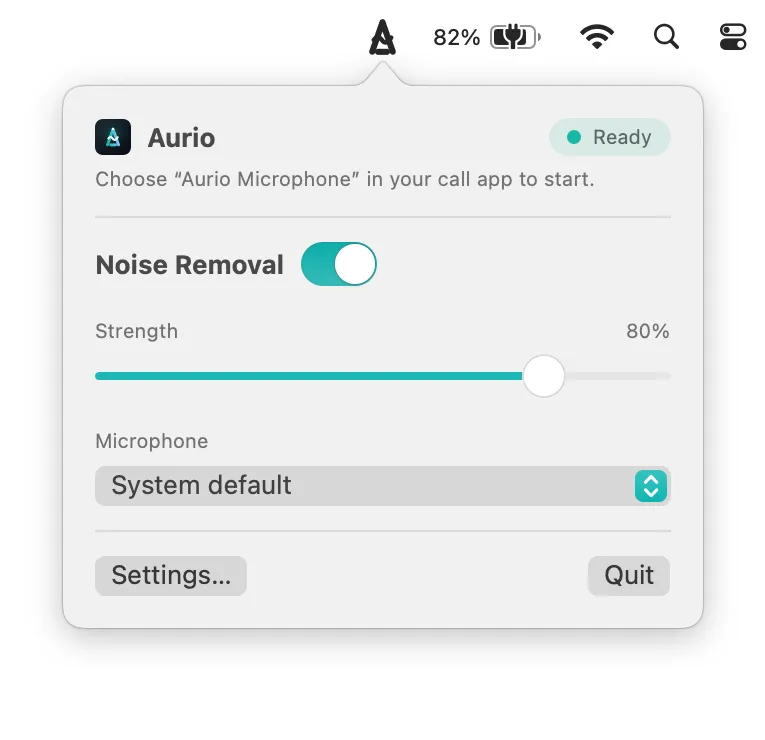
Aurio listens to the microphone you already use and runs quietly in the menu bar.

Noise fades out
Your voice is denoised in real time on your Mac — with a strength slider and A/B preview.
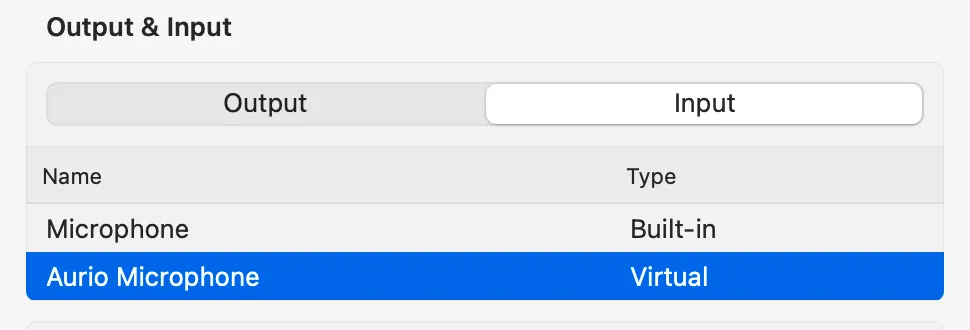
Select “Aurio Microphone”
Pick it once in Zoom, Meet, Slack, or any recorder. They all hear the clean signal.
one input, every app
Your Mac just sees another microphone.
Aurio installs itself as a real input device. Pick it once — in a meeting app, a recorder, anywhere — and everything hears the cleaned signal.
why not just use…
You may already have noise suppression. Here’s the difference.
Want to try the free fixes first? How to remove background noise from your Mac microphone.
macOS Voice Isolation
Free and built in, but it only works in apps that support Mic Modes, and it is either on or off. Aurio is a real microphone, so it works in any app that lets you pick one, and its strength is a slider.
Zoom, Meet or Teams suppression
Each app cleans up its own calls and nothing else. Your recorder, OBS and the next app still hear the room. Aurio cleans the mic once, for every app.
Krisp
Good, and the best known. It needs an account and a subscription, from $96 a year. Aurio needs no account, and $40 buys the app to keep, with a year of updates that renews yearly, or $70 with lifetime updates.
Hear yourself, not the room.
Free for 14 days. Then $40 buys it for good, with a year of updates that renews yearly, or $70 with lifetime updates — see pricing.